How to get KCRW Newsletters in Your Primary Inbox
Don't miss out — get all your KCRW newsletters direct to your Primary email inbox. Follow the steps below.
For Gmail:
Navigate to your "Promotions" tab.

Find a KCRW Newsletter you received and select it with your cursor.

Use your cursor to drag the newsletter to your "Primary" tab.

When asked, "Do this for future messages from newsletters@kcrw.org "— select Yes!

For Apple Mail:
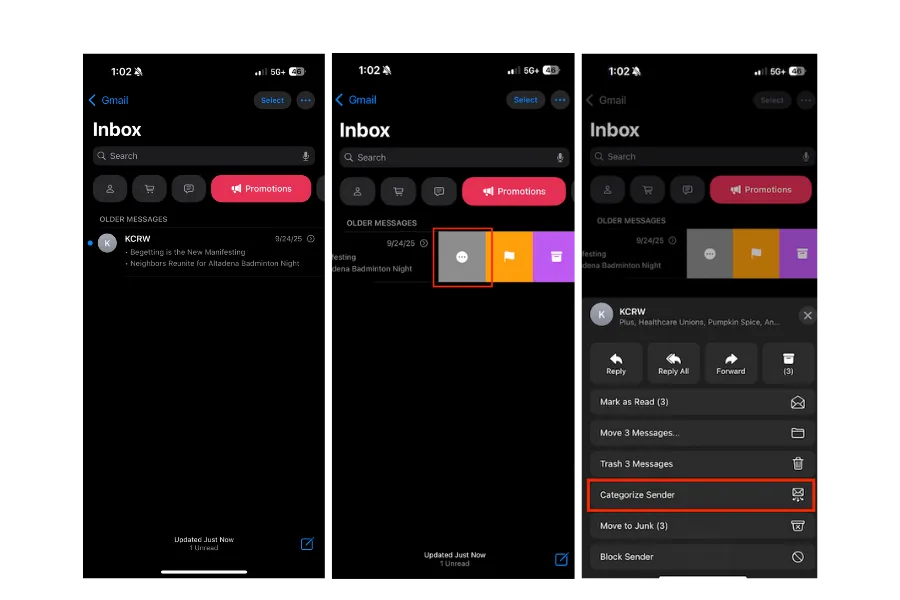
Navigate to your Apple Mail App and go to your "Promotions" folder.
Swipe left on a newsletter you received from KCRW and select the three dots.
Select "Categorize Sender" from the options.
Select "Primary" from the category options.
Select "Continue" to confirm.
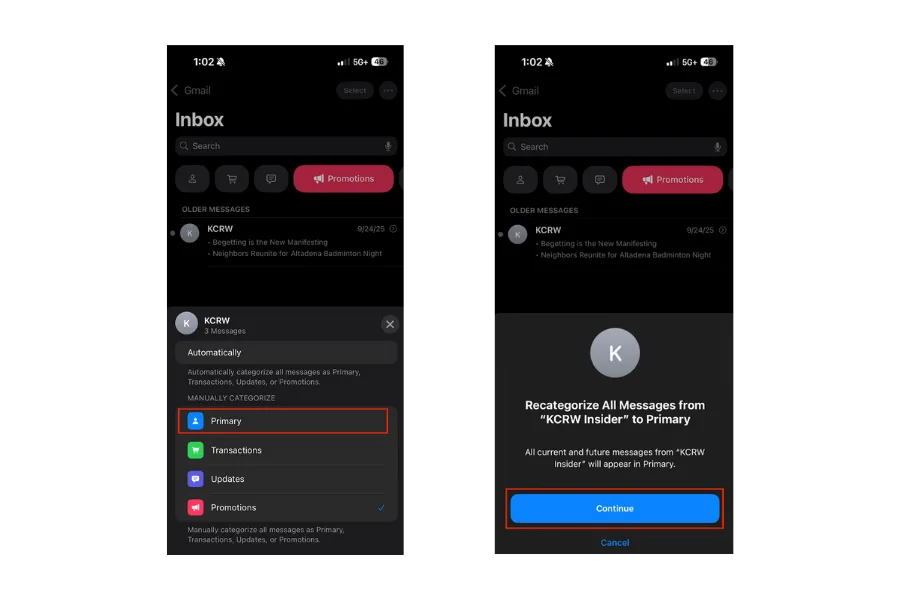
All done!